
One-line definition: Scan and ship is a fulfillment workflow where a warehouse operative scans a barcode on an order or product to automatically trigger label creation, fulfillment confirmation, and shipping - replacing manual lookup and data entry with a single scan.
What it means
Scan and ship is exactly what it sounds like. Instead of manually finding an order in your Shopify admin, selecting a carrier, generating a label, and confirming fulfillment as separate steps, an operative picks up a barcode scanner, scans the order or the product, and the system handles the rest automatically.
The scan triggers a chain of actions: the correct order is identified, the pre-configured carrier and service are applied, the shipping label is generated and sent to the printer, the order is marked as fulfilled in Shopify, and the customer notification goes out. What would take thirty seconds to two minutes of manual interaction per order takes two to five seconds.
At low order volumes the time saving is modest. At fifty, a hundred, or two hundred orders a day, the cumulative effect is significant — both in time saved and in errors prevented by removing manual data entry from the process entirely.
Why it matters for e-commerce merchants
Scan and ship sits at the intersection of two things merchants consistently want more of: speed and accuracy. It addresses both simultaneously because it removes the human steps most likely to introduce errors — manual order lookup, manual label generation and even verifying correct items are collected to order (if product scanning is used) replacing them with a single verified action.
Speed. In a conventional manual fulfillment workflow, each order requires the operative to find the order (by customer name, order number, or scrolling a list), confirm the items, generate the label, and confirm fulfillment. With scan and ship, the scan does all of that in one action. For an operative processing 150 orders in a shift, the difference between 90 seconds per order and 10 seconds per order is the difference between a comfortable shift and an impossible one.
Accuracy. Manual order lookup introduces the risk of processing the wrong order — particularly when multiple orders contain similar products or when names are similar. Scanning an order barcode pulls the exact order associated with that barcode with no ambiguity. When combined with item verification scanning — scanning each product as it goes into the box — scan and ship becomes a two-step verification system that catches errors before they leave the building.
Scalability. Scan and ship is the operational foundation that allows fulfillment capacity to scale with order volume without proportionally scaling headcount. A well-configured scan and ship workflow allows one operative to process significantly more orders per hour than a manual workflow, which means growth in order volume does not automatically require the same growth in warehouse labour.
How scan and ship works in practice
The workflow varies slightly depending on configuration but a typical Packrooster scan and ship session runs as follows:
1. Pick list or batch is prepared. Orders for the session are identified — either individually as they come in, or as a batch prepared for the shift.
2. Operative scans the order barcode. The order barcode — printed on the packing slip, the pick list, or displayed on a screen — is scanned. Packrooster identifies the order and pulls it up automatically.
3. Item verification (optional but recommended). Before sealing the parcel, the operative scans the barcode on each product being packed. Packrooster checks each scan against the order. If an item matches, it is confirmed. If it does not match — wrong product, wrong size, wrong quantity — the scan fails and the operative is alerted.
4. Label generated and printed. Once all items are verified, or when the order is confirmed, Packrooster generates the shipping label using the carrier and service pre-configured for that order. The label is sent to the connected printer automatically.
5. Fulfillment confirmed in Shopify. Packrooster marks the order as fulfilled in Shopify and triggers the customer tracking notification — all without the operative touching the keyboard.
6. Next order. The operative applies the label, seals the parcel, and scans the next order.
What equipment do you need
Scan and ship does not require significant hardware investment. The essentials:
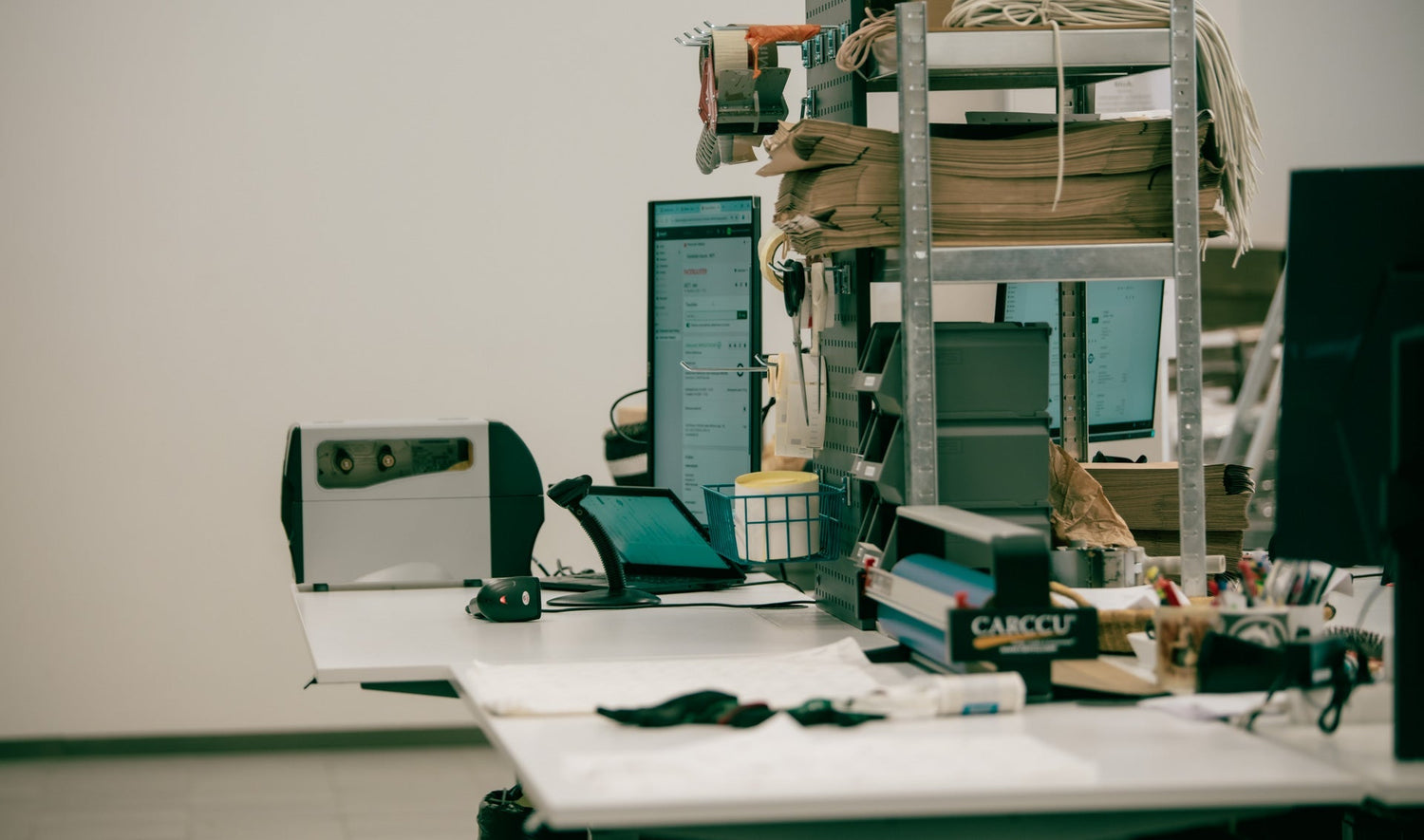
Barcode scanner. A USB or Bluetooth handheld scanner is the standard tool. Basic models suitable for Packrooster's scan and ship workflow cost under 50€. Wireless Bluetooth scanners give more freedom of movement around the packing bench. Industrial-grade scanners with longer battery life and durability are available for high-volume operations but are not necessary to get started.
Label printer. A thermal label printer produces shipping labels quickly and without ink costs. Most carriers' label formats are designed for thermal printing. Desktop thermal printers suitable for e-commerce start at around 100–200€. For higher volumes, a faster thermal printer reduces the time the operative waits for labels to print.
Stable internet connection. Scan and ship relies on real-time communication between the scanner, Packrooster, Shopify, and the carrier's API. A stable wired or strong wireless connection in the packing area is necessary for the workflow to run without interruption.
The total hardware investment for a basic scan and ship setup — scanner, printer, and cables — is typically under €300. For most merchants processing more than twenty orders a day, this pays back within the first few weeks in time saved and errors prevented.
Common misconceptions and mistakes
"Scan and ship is only for large warehouses." It is practical and cost-effective from as few as ten to twenty orders a day. The hardware is inexpensive, the setup is straightforward, and the error prevention benefit applies regardless of volume. Smaller merchants often benefit more proportionally from the accuracy gain than large ones, because the cost of a single wrong shipment is higher relative to their total order volume.
"I need to scan every single item for scan and ship to work." Item verification scanning is optional in most scan and ship configurations. You can run scan and ship with order-level scanning only — scan the order barcode, label is generated, done — without scanning each individual item. Item verification adds accuracy but is not required to use the core scan and ship workflow. Many merchants start with order-level scanning and add item verification as their volume grows.
"My products don't have barcodes so I can't use scan and ship." The order scan is based on the order barcode — the barcode printed on the packing slip or pick list that identifies the Shopify order. This does not require products to have their own barcodes. Item verification does require product barcodes, but order-level scan and ship works with any products regardless of whether they have barcodes printed on them.
"Scan and ship slows down fulfillment because of the extra verification step." The opposite is true for most workflows. The verification scan takes two to three seconds per item. The time saved by eliminating manual order lookup and label generation far exceeds the verification scan time. The net result is significantly faster per-order processing, not slower.
How this connects to your Shopify store
Packrooster's scan and ship feature is built natively into the Shopify fulfillment workflow. To use it, you connect your barcode scanner to the device running Packrooster and connect your label printer. From that point, each order scan triggers the full fulfillment sequence inside Shopify without leaving Packrooster's interface. Read more about quick fulfillment process. Contact us if you need help setting things up!
The scan and ship workflow in Packrooster supports both order-level scanning — scan the order barcode to generate the label and confirm fulfillment — and item verification scanning — scan each product to confirm the correct items are being packed before the label is generated. Both modes are configurable based on your workflow preferences and the nature of your product range.
For operations with multiple packing stations or multiple warehouse staff, Packrooster's scan and ship runs simultaneously across stations — each operative works independently within the same Shopify store, with orders claimed and processed in real time without conflicts.
For merchants on Packrooster's Enterprise plan, scan and ship includes additional features including scan to validate items against the order before packing, with automated label printing triggered only when all items are correctly verified. This closes the loop between picking accuracy and label generation in a single seamless workflow. Enterprise plan also features users so you can see which user is fulfilling orders.
Learn more about Packrooster →
Frequently asked questions
What barcode format does scan and ship use? Packrooster's scan and ship works with standard 1D barcodes (Code 128, Code 39) and 2D barcodes (QR codes, Data Matrix) printed on packing slips, pick lists, or order documents. Product verification scanning uses the barcode printed on the product itself — EAN-13, UPC-A, or any other standard format your products carry. Most affordable handheld scanners read all common barcode formats without additional configuration.
Can scan and ship handle orders with multiple items? Yes. When an order contains multiple items, the item verification step requires scanning each item before the label is generated. Packrooster tracks which items have been scanned against the order line quantities and only confirms the order as ready when all items are verified. For single-item orders — which make up a large proportion of most Shopify stores' order mix — the workflow is especially fast: one order scan, one item scan, label prints.
Does scan and ship work for multi-carrier setups? Yes. Packrooster's carrier selection rules determine which carrier and service is used for each order based on destination, product type, weight, or other criteria you configure. When the order is scanned, Packrooster applies the selected carrier/service automatically — the operative does not need to select or know which carrier is being used for a given order. This is particularly useful for merchants using different carriers for different markets (Posti for Finnish orders, Omniva for Baltic orders, DHL for international) where manual carrier selection per order would be error-prone.
What happens if the wrong item is scanned? When an item scan does not match the order — wrong product, wrong size, or wrong quantity — Packrooster displays an error and does not proceed to label generation. The operative is alerted to check the item. The order remains open until the correct items are scanned. This prevents wrong items from being shipped without requiring a manual review step, because the system itself blocks the error from progressing.
Can scan and ship integrate with a warehouse management system (WMS)? Packrooster's scan and ship operates within Shopify natively and does not require a separate WMS to function. For merchants using an external WMS alongside Shopify, Packrooster's API allows the WMS to pass order and fulfillment data to Packrooster for label generation and carrier communication — meaning scan and ship can be triggered from a WMS interface rather than directly from Packrooster's UI. This integration is supported on Packrooster's Premium and Enterprise plans.