

One-line definition: shipping workflow automation is the practice of letting software handle the repetitive steps between an order coming in and a parcel going out - choosing delivery options, printing labels, generating customs paperwork, notifying customers - so your team stops doing them by hand.
Most Shopify stores don't have a shipping problem. They have a manual-shipping problem. The work itself - picking a carrier, printing a label, filling a customs form, emailing a tracking number - isn't hard. It's that you're doing it one order at a time, dozens or hundreds of times a day, and every one of those tiny manual steps is a place to lose minutes and make mistakes. Automating them back doesn't just save time; it removes the errors that turn into support tickets and held parcels. Here are the five automations that pay off first, roughly in the order a growing store should tackle them.
1. Put the right delivery options in front of customers automatically
The first automation happens before you ship anything - at checkout. Instead of offering one flat shipping choice to everyone, you let rules decide which carriers, services, and delivery methods each customer sees based on their address and cart.
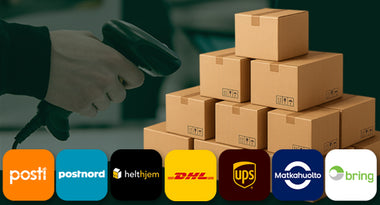
For a Nordic or EU store that means showing the carriers your customers actually trust - Posti, PostNord, Bring, Matkahuolto and the rest - plus their live pickup points and parcel lockers pulled straight from the carrier, alongside the shipping rates you've configured. The customer self-selects the option that suits them, and the order arrives in your admin already tagged with the right delivery method - so nobody on your team has to interpret "which carrier did they want?" later.
This is the automation that quietly lifts conversion, because a checkout that offers the locker around the corner beats one that only offers home delivery.
2. Generate and batch-print labels instead of doing them one at a time
Label creation is the single most repeated task in any shipping operation, and it's the one manual stores waste the most time on. Buying or creating a label individually, for every order, is fine at ten orders a day and brutal at a hundred.
The automation is twofold: labels get generated from the order data automatically, and you print them in batches rather than one at a time - ideally filtered by carrier or by warehouse location so a picker gets exactly the stack they need. A dispatch that took two hours of clicking collapses into a few minutes. We break down the full manual-versus-app comparison in our guide to bulk printing shipping labels in Shopify, but the headline is simple: this is usually the automation with the fastest, most visible payback.
3. Automate your customs paperwork for cross-border orders
If you ship across a border, customs paperwork is the manual task most likely to bite you - and it just got more important. With the US having ended its de minimis exemption in 2025 and the EU removing its €150 customs-duty exemption from July 2026, far more parcels now need complete, correct customs data than a year ago. Get it wrong and the parcel sits in a customs queue while your customer emails you.
Automating it means the pieces are captured once and reused on every order: HS/tariff codes stored against each product, your EORI and IOSS numbers held once, and the commercial invoice and CN22/CN23 generated straight from the order rather than typed by hand. Our full guide on how to automate customs forms walks through exactly how to set this up - it's the difference between cross-border shipping being a bottleneck and being a non-event.
4. Send order and tracking updates without lifting a finger
Every "where is my order?" email your team answers by hand is an automation you haven't set up yet. These WISMO tickets are routinely the largest single category of support volume, and almost all of them are avoidable.
The automation is a sequence of status messages triggered by real events: order confirmed, order packed, shipped with tracking link, out for delivery, delivered - and, crucially, an alert when something goes wrong, like a failed delivery attempt. Getting the carrier's tracking link into the confirmation email and the customer's order page automatically closes most of the gap. The customer stays informed on the channel they already use, and your support inbox goes quiet.
5. Automate accuracy in the pick-and-pack step
The last automation protects you from the most expensive mistake in fulfillment: shipping the wrong item. A mispick costs you twice - the return shipping to get it back and the reship to send the right thing - plus the customer's trust.
Rather than relying on staff to eyeball each order, a scan-and-ship workflow verifies every parcel by barcode before the label goes on, and a clean pick-and-pack process with clear picking lists removes the guesswork upstream. This is the automation that matters most as you move from packing on a kitchen table to running a proper dispatch area - accuracy that was easy at 20 orders a day doesn't survive 200 without a system.
Where to start
Don't try to automate all five at once. Start with whichever is costing you the most right now, and for most growing stores that's number two - label printing - because the time saving is immediate and obvious. If you ship cross-border, number three usually comes next, because the risk of a held parcel is higher than the time saving suggests.
The practical way to get most of this in place is with the apps built for it. On Shopify, Packrooster Shipping handles the checkout delivery options, label generation and batch printing, customs documents, and carrier connections, while Printrooster covers the order-printing side - packing slips, picking lists, and custom invoices. Between them, the five tasks above stop being things your team does and become things that just happen.
Automation isn't about doing shipping faster. It's about not doing most of it at all, so the hours go back into the parts of the business that actually need a human.